EC2 verify
Use $GATEWAY / $CLUSTER / $PATH_NAME from the EC2 path (${NAME}-ec2). ALB provisioning often takes a few minutes after the first service connects.
-
Both gateway routes report
ACTIVE -
Orders and Catalog each render on their own
*.ecs.<region>.on.awshostname -
Both routes resolve to the same ALB
Wait for routes
Section titled “Wait for routes”Break only when every listed status is ACTIVE (not merely “no longer in progress”).
for i in $(seq 1 60); do STATUSES=$(aws ecs list-gateway-routes --gateway "$GATEWAY" --cluster "$CLUSTER" \ --query 'gatewayRoutes[].status' --output text) echo "$i: $STATUSES" BAD=$(echo "$STATUSES" | tr '\t' '\n' | grep -cv '^ACTIVE$' || true) [ "$BAD" = "0" ] && [ -n "$STATUSES" ] && break sleep 10done1: CREATE_IN_PROGRESS CREATE_IN_PROGRESS2: CREATE_IN_PROGRESS ACTIVE3: ACTIVE ACTIVEService URLs
Section titled “Service URLs”Define a helper that resolves a service’s managed HTTPS URL (route ARNs are not printed):
url_for() {  local svc="$1"  local arn  arn=$(aws ecs list-gateway-routes --gateway "$GATEWAY" --cluster "$CLUSTER" \    --service "$svc" \    --query 'gatewayRoutes[0].gatewayRouteArn' --output text)  aws ecs describe-gateway-route --gateway-route-arn "$arn" \    --query 'gatewayRoute.serviceUrl' --output text}
URL_A=$(url_for "${PATH_NAME}-a")URL_B=$(url_for "${PATH_NAME}-b")echo "a: $URL_A"echo "b: $URL_B"
a: https://ec-<orders-id>.ecs.ap-southeast-6.on.awsb: https://ec-<catalog-id>.ecs.ap-southeast-6.on.awsPoll until each page title matches (tasks may still be pending / draining right after a deploy):
for i in $(seq 1 48); do TITLE_A=$(curl -sS --max-time 15 "$URL_A" 2>/dev/null \ | sed -n 's/.*<h1>\([^<]*\)<\/h1>.*/\1/p' | head -1 || true) TITLE_B=$(curl -sS --max-time 15 "$URL_B" 2>/dev/null \ | sed -n 's/.*<h1>\([^<]*\)<\/h1>.*/\1/p' | head -1 || true) echo "$i: a=${TITLE_A:-?} b=${TITLE_B:-?}" [ "$TITLE_A" = "Orders" ] && [ "$TITLE_B" = "Catalog" ] && break sleep 10done1: a=? b=?2: a=Orders b=?3: a=Orders b=Catalogecho "Orders -> $URL_A"echo "Catalog -> $URL_B"Orders -> https://ec-<orders-id>.ecs.ap-southeast-6.on.awsCatalog -> https://ec-<catalog-id>.ecs.ap-southeast-6.on.awsExpect Orders on service A and Catalog on service B (open both in a browser). Hostnames are ECS-managed (*.ecs.<region>.on.aws).
Open both URLs — two different apps, each on its own managed hostname:
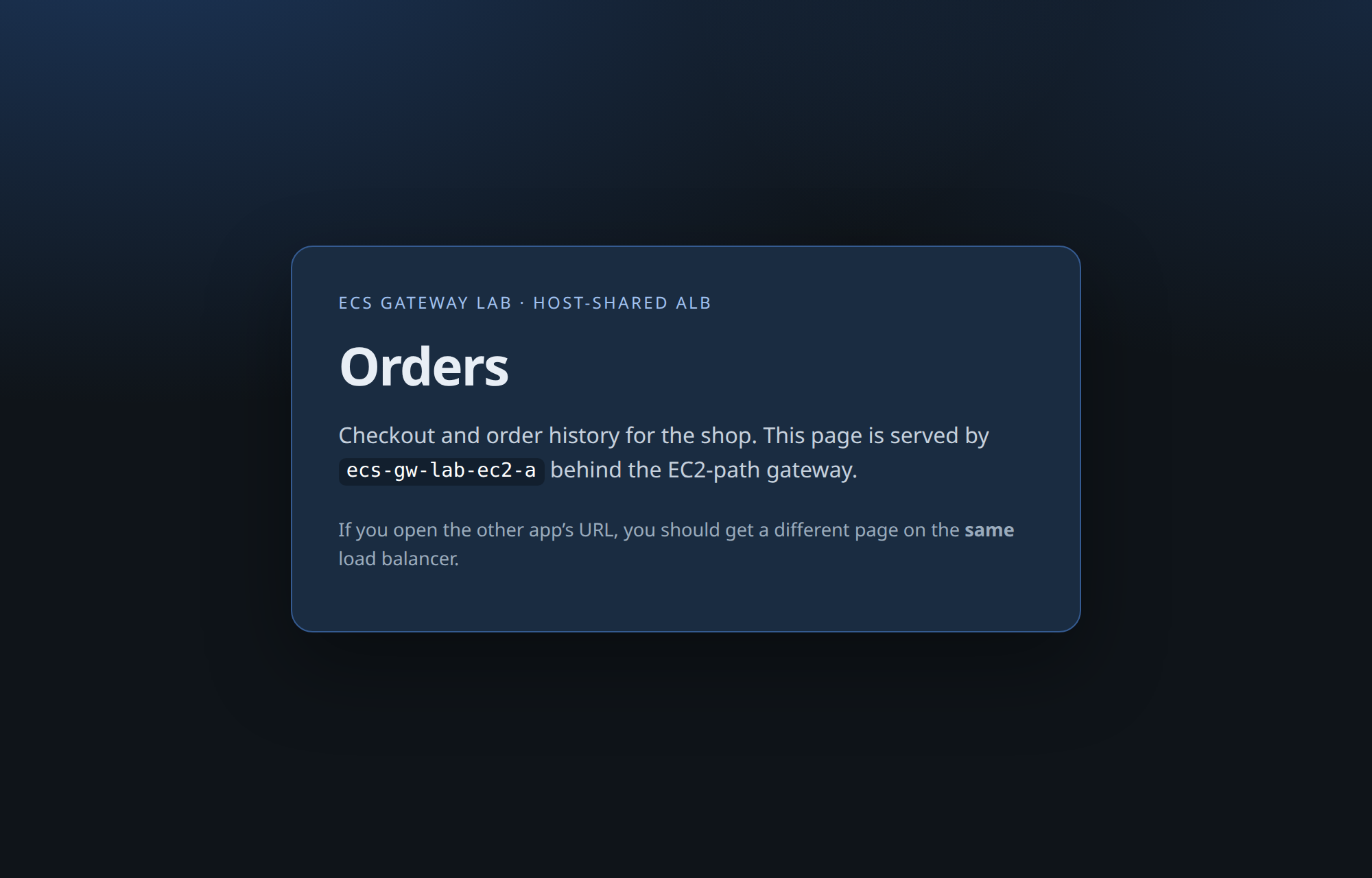
Service -a → Orders
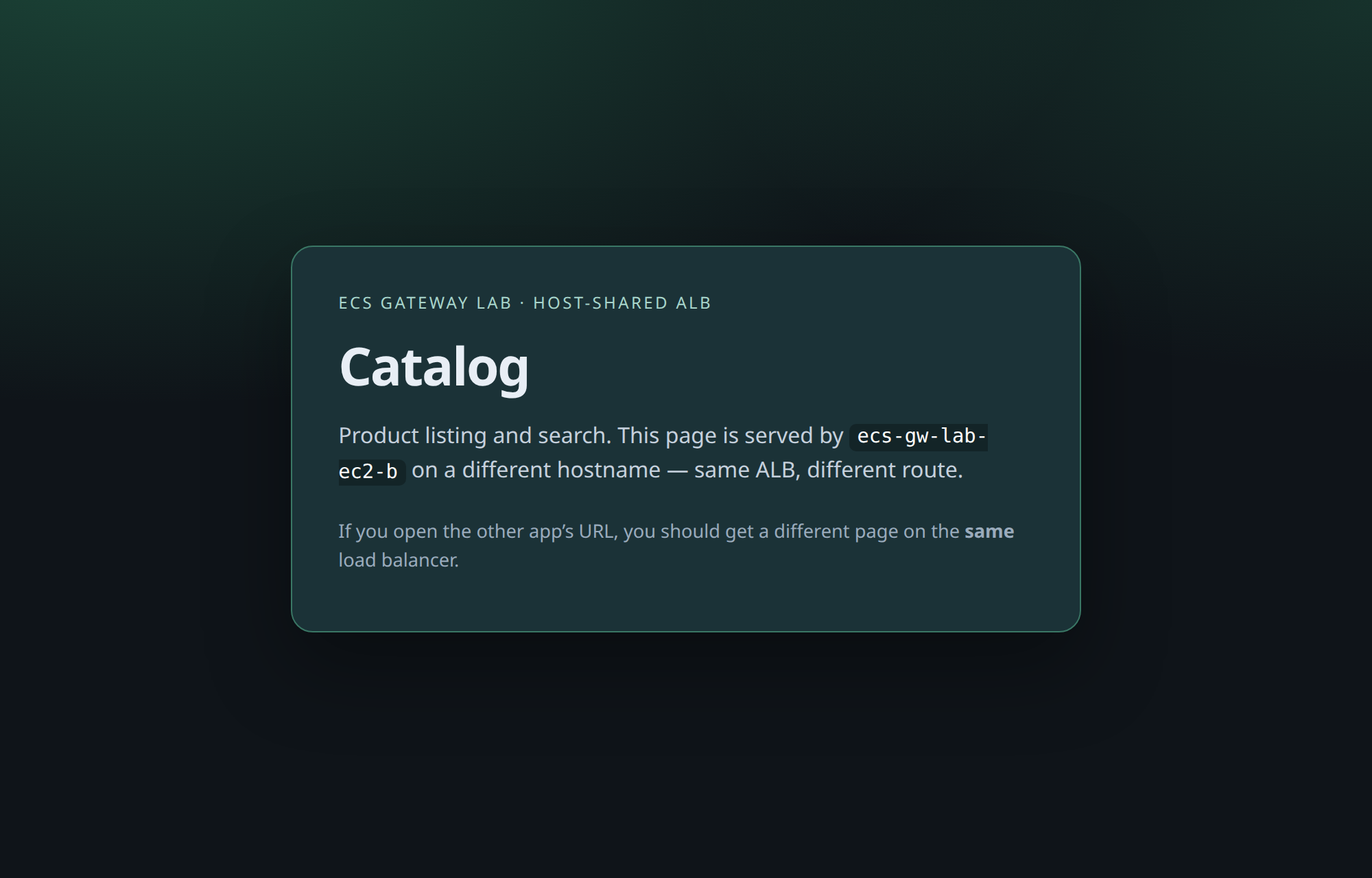
Service -b → Catalog
Same ALB, two hostnames, two apps — host-based routing, running on your EC2 capacity.
Shared ALB check
Section titled “Shared ALB check”Print load balancer names only (strip the ARN prefix so account IDs stay out of the paste buffer):
for ARN in $(aws ecs list-gateway-routes --gateway "$GATEWAY" --cluster "$CLUSTER" \ --query 'gatewayRoutes[].gatewayRouteArn' --output text); do aws ecs describe-gateway-route --gateway-route-arn "$ARN" \ --query 'gatewayRoute.resources.hostSharedAlb[0].loadBalancerArn' \ --output text | awk -F: '{print $NF}'doneloadbalancer/app/ecs-gateway-alb-<id>/…loadbalancer/app/ecs-gateway-alb-<id>/…Both lines should match — one host-shared ALB for both services on this gateway.
Confirm in the console (optional)
Section titled “Confirm in the console (optional)”The CLI output above is the source of truth, but the console makes the shared-ALB story easy to see. The gateway, routes, ALB, and certs look the same as the Fargate path — only the compute behind the tasks differs.

ECS → Gateways → your gateway → Gateway routes. Two routes, both ACTIVE — one per service.
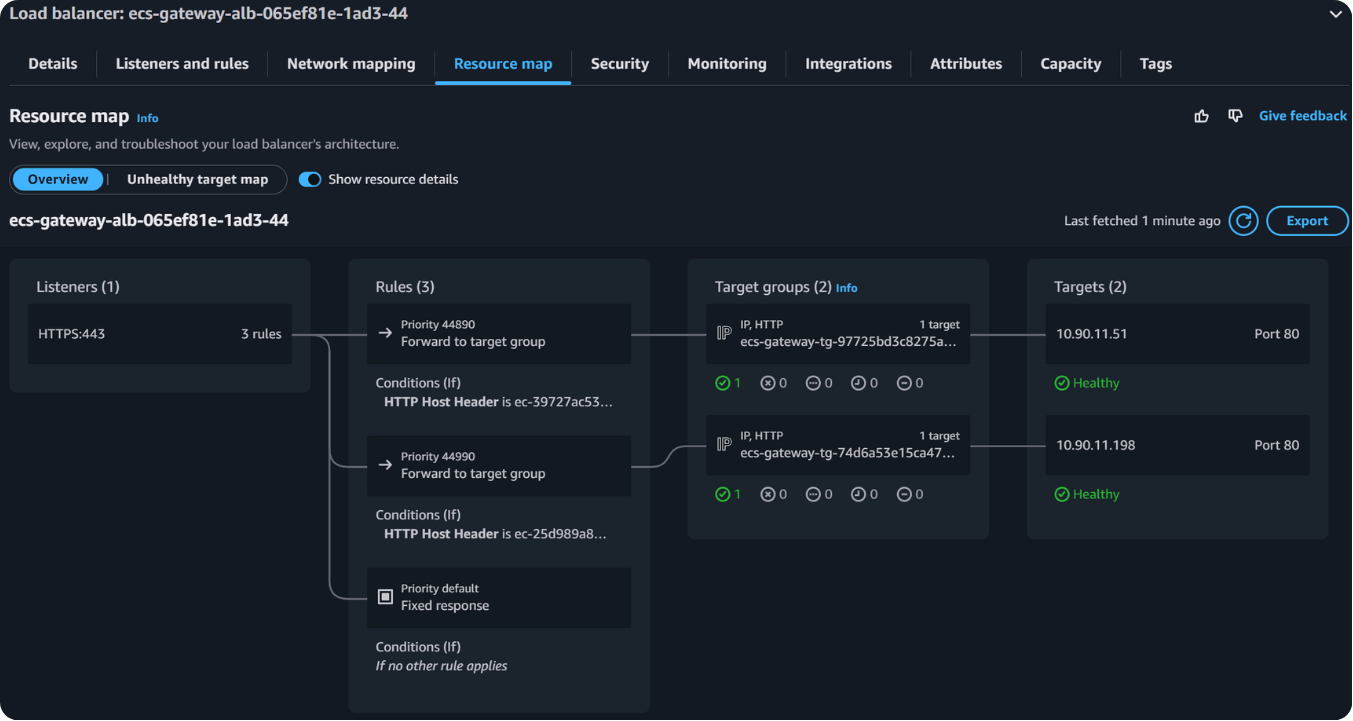
EC2 → Load balancers → the gateway ALB → Resource map. One ALB, one HTTPS 443 listener, two host-header rules each forwarding to its own target group.
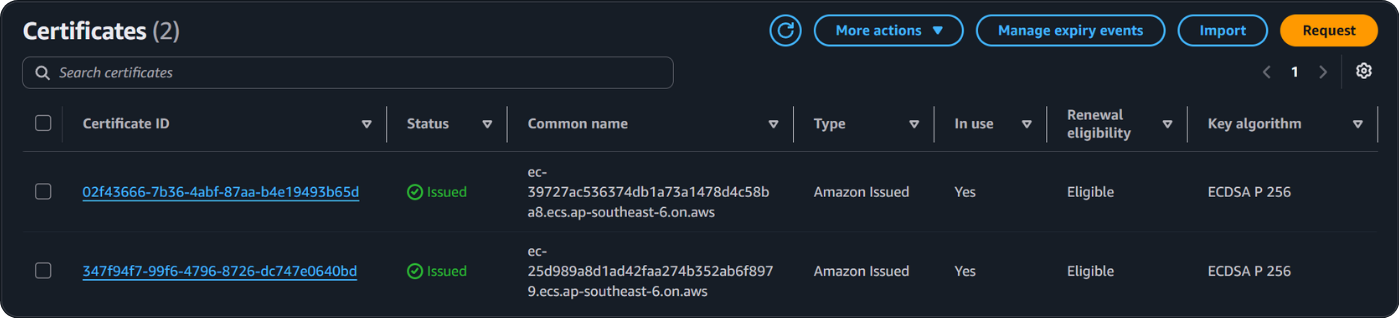
Certificate Manager → Certificates. Two Amazon-issued certs, both Issued and In use — one per managed hostname, created by ECS via the infrastructure
role.